Free online CAD comparison tool
CAD Compare. See exactly what changed between two CAD files
Drop in two versions of a part and every difference is highlighted in 3D, numbered and measured. It runs in your browser, so your files never leave your computer.
Free to use. No account. Nothing to install.
Free
No cost, no trial, no limits on how often you use it.
No sign-up
Open it and start. We do not ask for an email.
STEP and IGES
Reads .step, .stp, .iges and .igs files.
Private by design
Files are read on your own machine and are never uploaded.
Spot a revision in seconds, not an afternoon
When a customer sends a revised part, the change is often a hole moved by a millimetre or a boss made slightly taller. Easy to miss by eye, expensive to miss in production. CAD Compare finds it for you.
01
Add the original
Drop the first version of the part into the left box, or click to choose it.
02
Add the revision
Drop the new version into the right box. The comparison starts by itself.
03
See every change
Each changed area is coloured, numbered and listed with its size and position.
Walkthrough video
The video is loading. If it does not appear, please check that JavaScript is switched on in your browser.
Everything you need to check a revision properly
Five ways to look at the same two files, so a change cannot hide on the far side of a part or inside a bore.
Overlay
Changes highlighted on the part itself
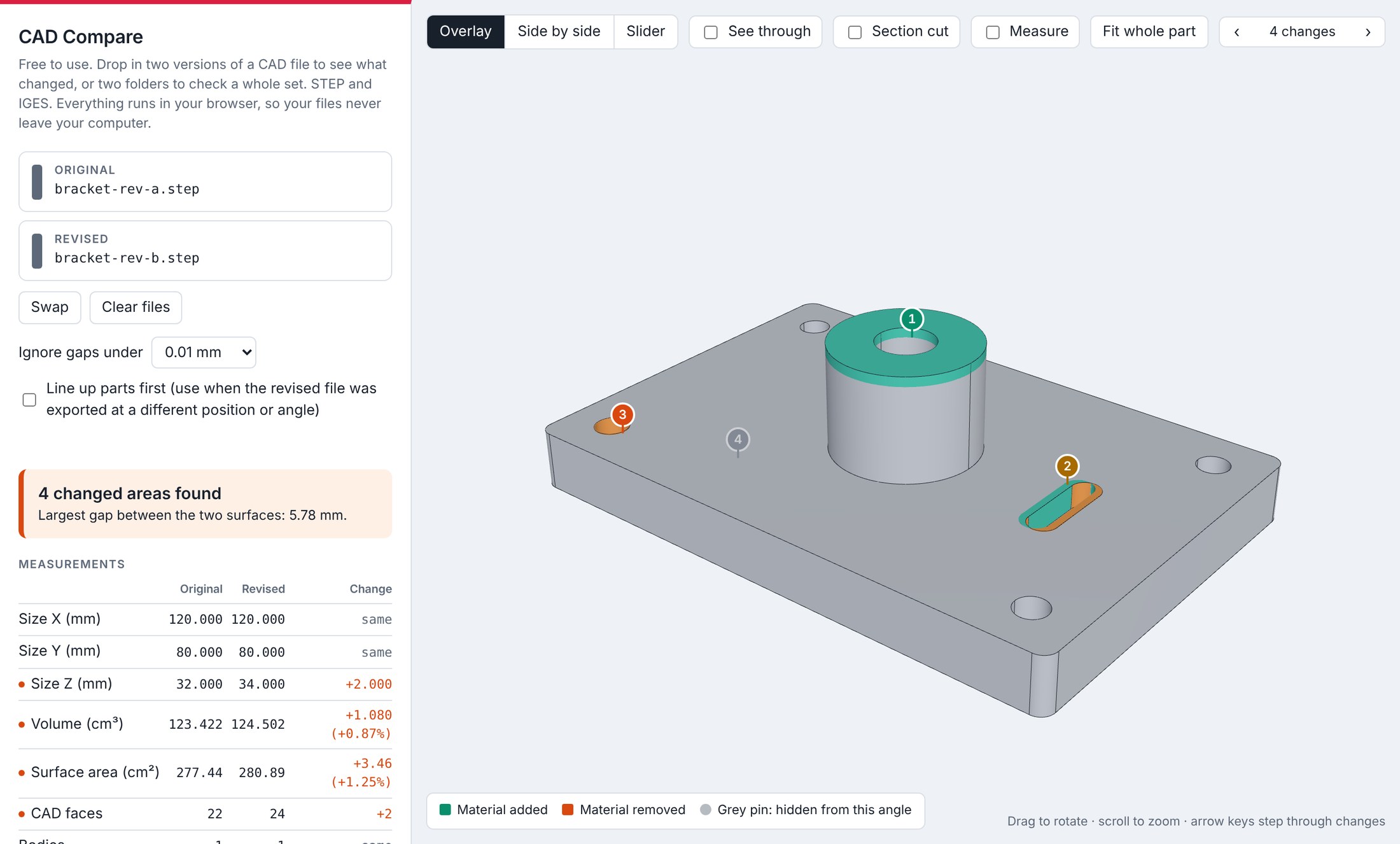
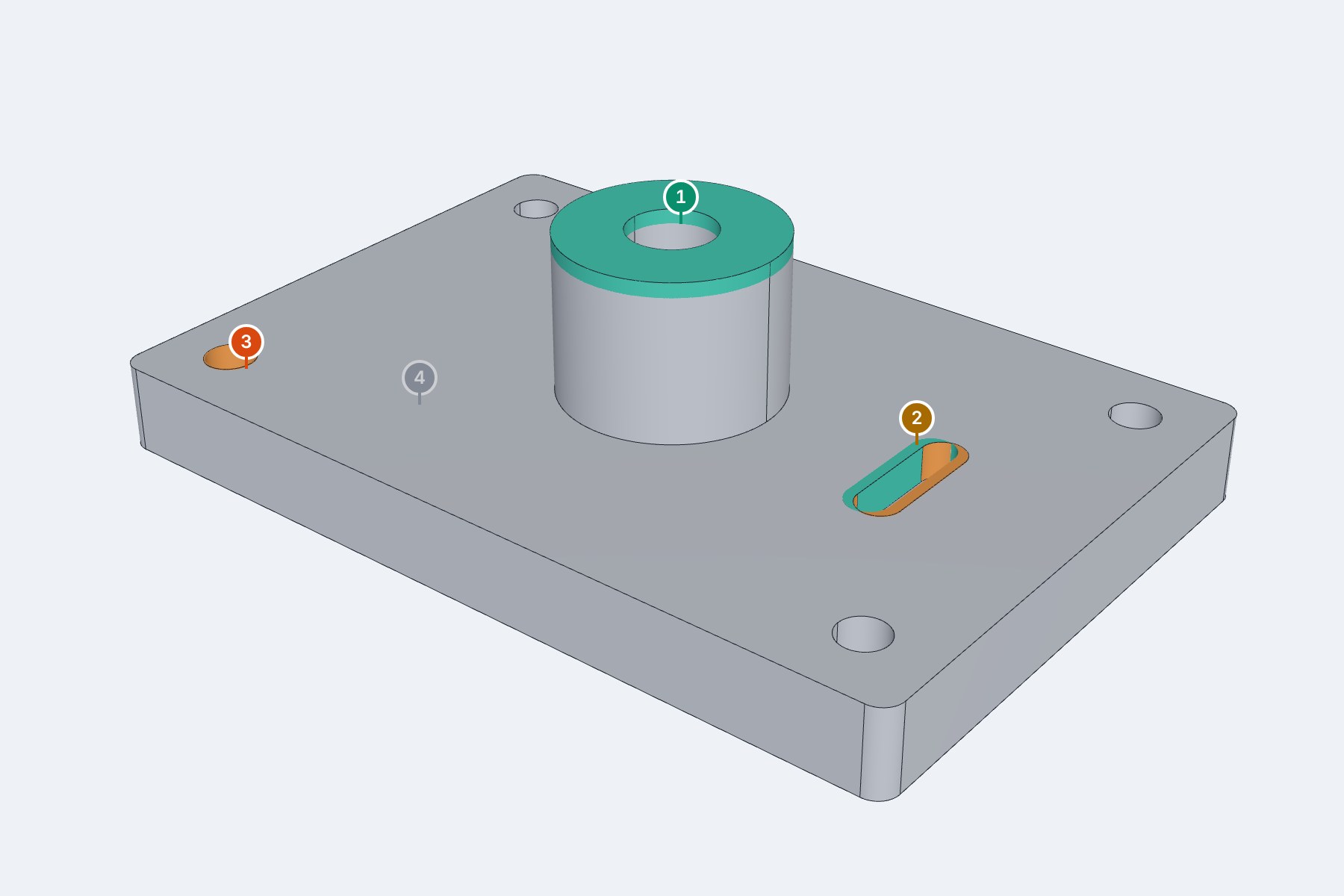
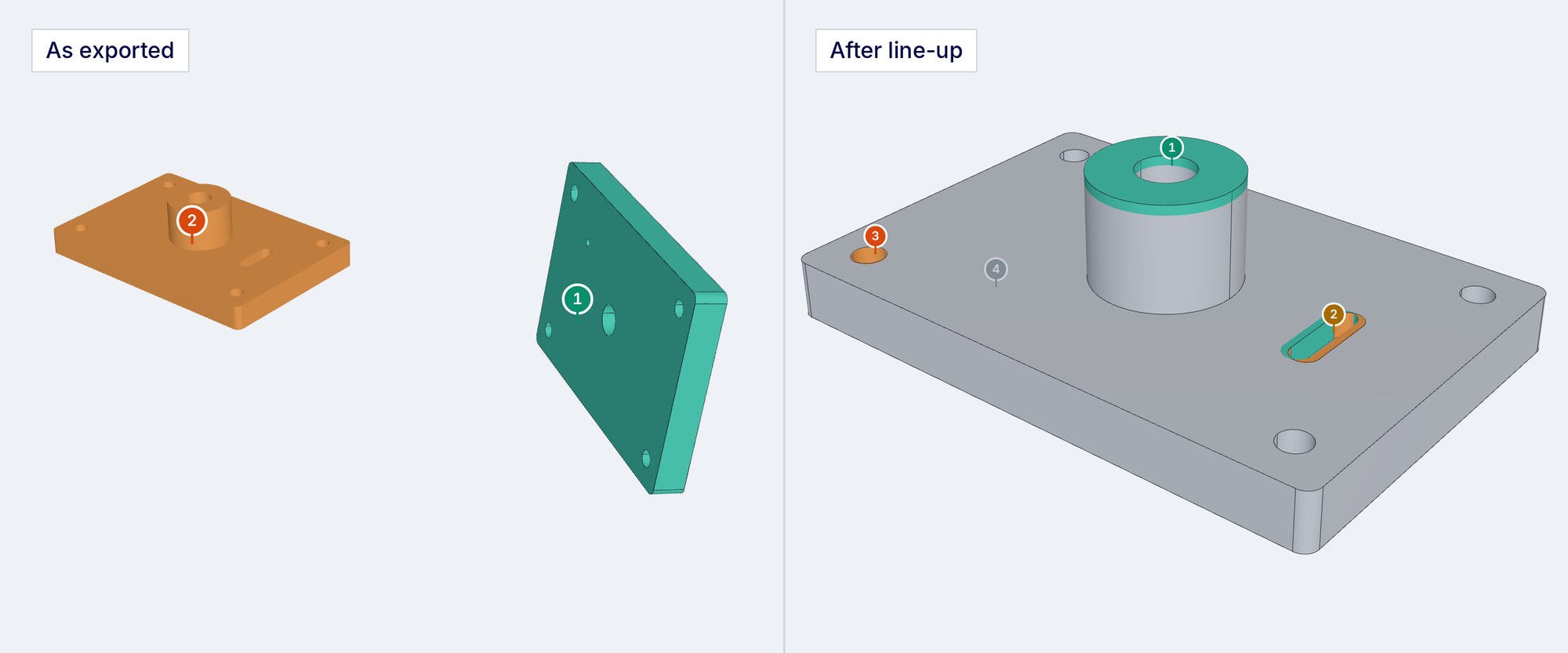
The two versions are laid over each other. Material that was added shows in green, material that was removed in orange, and each change gets a numbered pin so nothing is overlooked. Changes on the far side of the part show as a faded pin until you turn it round.
Side by side and slider
Old and new, next to each other
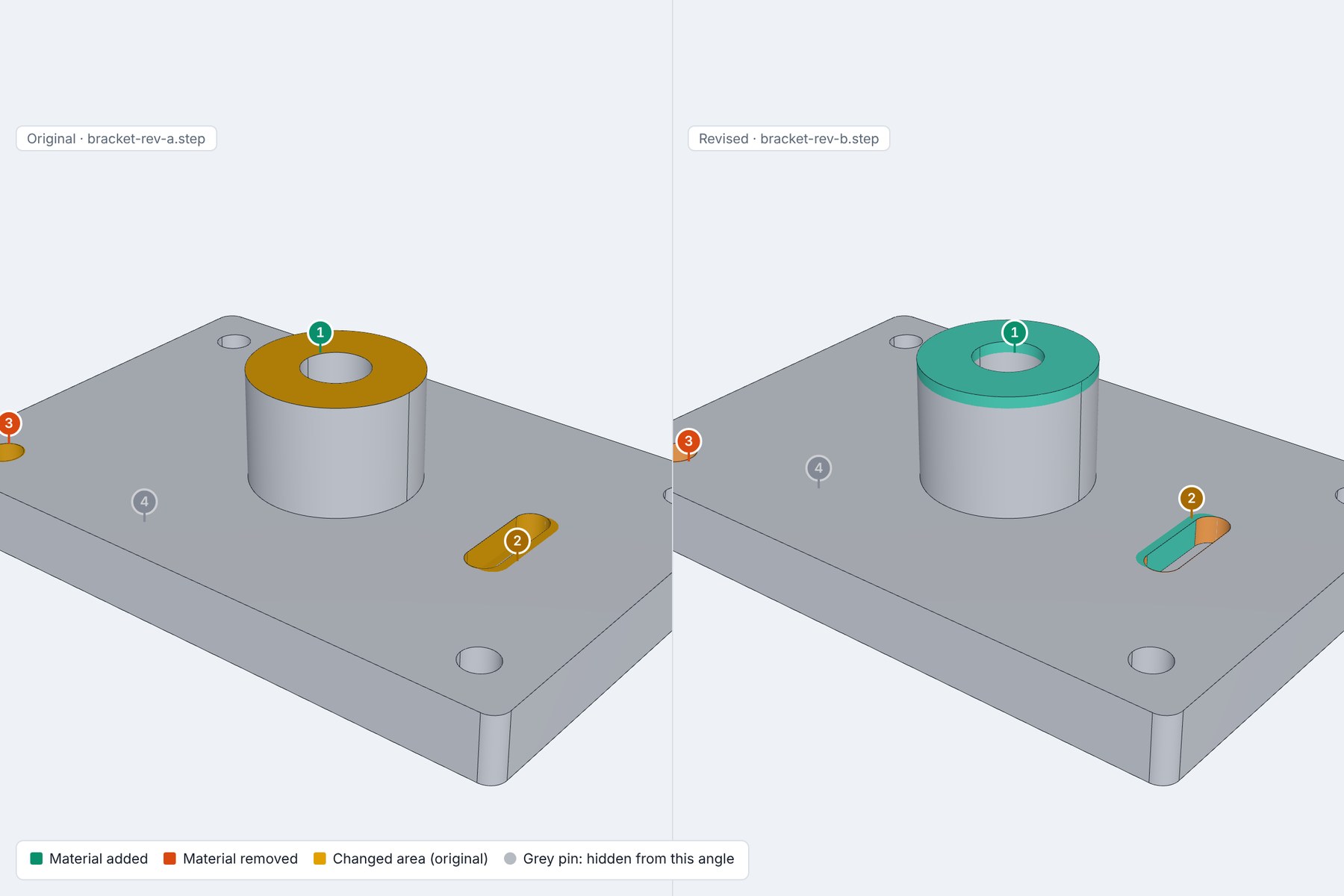
Put the original and the revision side by side and rotate them together, or drag a slider across the part to wipe between the two. Useful when you want to show a colleague or a customer exactly what moved.
Section cut and measure
Look inside, and put a number on it
Slice through the part along the X, Y or Z axis to check internal features such as bores and pockets. Click two points or faces to measure between them. A table compares overall size, volume and surface area for both versions.

Whole sets
Compare a full set of parts in one go
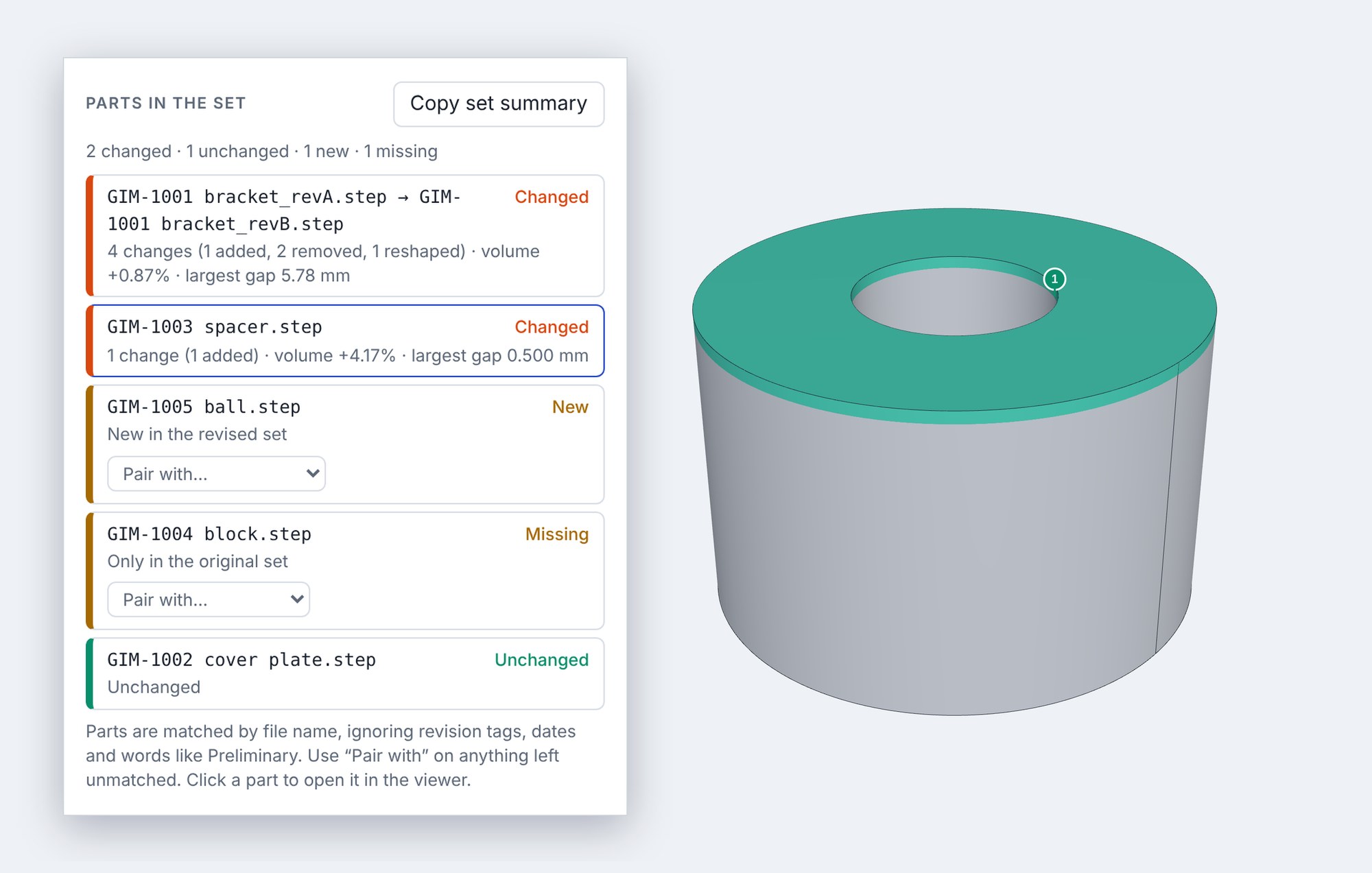
Drop in two folders and CAD Compare pairs the files up by name, even when a revision letter has changed. You get a list showing which parts changed, which are identical, which are new and which have gone missing.
Automatic line-up
Works even if the part was exported in a different position
Revised files often come back moved or rotated in space. Tick one box and the two versions are lined up before they are compared, so you only see real design changes.
Your CAD files stay on your computer
Most online CAD tools upload your files to a server. This one does not. The comparison runs inside your browser, on your own machine, so confidential designs stay confidential.
Nothing is uploaded
Your files are opened and compared locally. They are not sent to us or to anyone else.
Nothing is stored
Close the tab and the files are gone. There is no account and no history.
Nothing to install
It runs in a modern web browser on a desktop or laptop.
Questions people ask
Is CAD Compare really free?
Yes. There is no charge, no trial period and no account. We built it for our own engineers to check customer revisions and decided to share it.
Which CAD file types can I compare?
STEP (.step, .stp) and IGES (.iges, .igs). Every major CAD package, including SolidWorks, Fusion, Inventor, Creo, NX and Onshape, can export one of these.
Are my files uploaded anywhere?
No. The files are read and compared inside your browser on your own computer. They are never sent to Get It Made or to any other server.
How small a change will it find?
By default it reports any difference larger than 0.01 mm. You can change that threshold if you want to ignore tiny differences caused by exporting.
Can I compare a whole folder of parts?
Yes. Drop a folder of originals on one side and a folder of revisions on the other. Files are matched by name and you can pair any that are missed by hand.
Does it work on a phone?
It is designed for a desktop or laptop, where there is room to rotate the part and read the results.
Bespoke quote in 24 hours
Get It Made is proud to provide a human service. Get a quote and free design review by an experienced engineer to see how we make manufacturing simple.